Your photos, your story
Upload your photos in order and each one flows into the next — one continuous video for the wedding, the sangeet or the anniversary.
Buying credits isn't open in this market yet.
1 credit = 1 animated transition between two photos · your first one is free
- 30-day refund on unused credits
- No card needed to try
- Private photo storage
- A free retry with every credit
What you receive
One continuous video for the big screen, made from the photos you choose.
- One continuous video
- Each photo flows into the next in a 5-second AI clip, all chained into one horizontal 16:9 MP4 for TVs, projectors and event screens.
- You approve every clip
- Watch each transition before it goes in. Not right? Use a free retry, then keep the version you like best.
- Pay per animation
- One credit per pair of photos, and your first one is free. Making — and remaking — the final video costs nothing.
- Private by design
- Photos and clips stay in private storage, are shown only through short-lived links, and are deleted on a schedule.
One continuous video, photo by photo
Childhood
Where both stories start.
Growing up
The first photo turns into the next as they move.
How you met
College, first trips, first photos together.
Together
Every pair of photos becomes one AI-animated clip.
The big day
The latest photo, right up to the wedding.
Three simple steps
From a folder of family photos to one continuous video for the big screen — here is every step.
Upload in story order
Pick the occasion, then upload up to 80 photos, oldest first. Each photo will flow into the next.
Animate each pair
One credit turns two neighbouring photos into a 5-second clip. The first one is free, and retries are included.
Make your video
Chain every clip into one video, download it from your private page, and play it on the big screen.

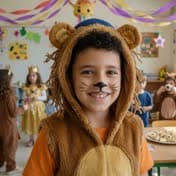



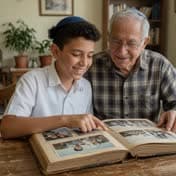
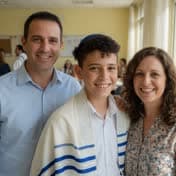
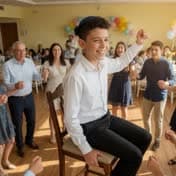
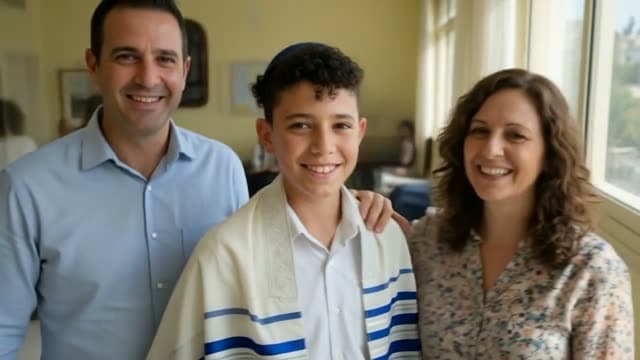
Illustration made from AI-generated photos of fictional people — not a customer video.
What kind of AI video is this?
"AI video" can mean very different things. Here is what we make, and why.
AI can't guarantee a perfect likeness mid-transition. You watch every clip before it goes in, and each credit comes with a free retry.
Fully generated video
AI invents every scene. Striking, but faces and details drift from the real person, and quality varies from clip to clip.
Photo slideshow
Your real photos with fades and slow zooms. Faithful and dependable, but the photos never move.
Photo-to-photo transitions · What we make
Every clip starts and ends on your real photos. AI animates only the movement in between, so each one lands on a real moment.
Examples
Each example is labeled with its occasion and visual style.
- Illustration
Wedding1:00
Style: Cream & gold
Wedding — then & now
- Illustration
Anniversary1:00
Style: Navy & cream
Anniversary — ten years together
- Illustration
Birthday1:00
Style: Rose & blush
80th birthday — old photos brought to life
- Illustration
Quinceañera0:45
Style: Rose & blush
Quinceañera — classic
Choose how your story begins
Your names and a short line appear over the scene you pick, then it opens into your first photo. Each demo runs about 20 seconds: the opening, then two photo changes.
- IllustrationDoor of light0:20
A door opens onto warm light and the camera walks through, into your first photo.
- IllustrationWindow of time0:20
The curtains part at a sunlit window and golden light carries you into your story.
- IllustrationFloating lanterns0:20
Glowing lanterns rise into the evening sky and settle into your first photo.
- IllustrationPhoto magic0:20
Floating photographs swirl and burst into light, and your first photo appears.
These examples are made from AI-generated photos of fictional people, not customer videos.
Create my videoYour photos stay private
Private storage
Photos and clips go to private storage and are shown only through short-lived links — to you, and to our support team if you ask for help.
Never used in ads without permission
We don't use your photos or video in our marketing unless you separately opt in. That option is off by default.
Scheduled deletion
We delete original photos and clips 30 days after your first video is made, and the video after 90 days. You can delete everything sooner from your video page.
Created by an adult
Videos are created by an adult who has the right to share these photos, including photos of children.
Questions, answered
How many photos do I need?
At least 2 and up to 80. Every pair of neighbouring photos becomes one 5-second clip, so 13 photos make about a minute and 61 photos about five. Choose clear, well-lit photos where faces are visible.
How should I order the photos?
In the order the story happened — usually the baby photo first. Each photo flows into the next, so neighbours matter: photos with similar framing make the smoothest transitions. Drag photos into place or use the arrow buttons.
How do credits work?
One credit animates the transition between two neighbouring photos, so a story of 31 photos needs 30 credits. Your first animation is free, every credit you buy includes one free retry, and making the final video is free.
Will everyone look exactly like themselves?
Each clip starts and ends on your real photos, but the movement in between is generated by AI and can change details of a face. Watch every clip: if one isn't right, try again or keep the version you prefer.
Can the video be shown on an event screen?
Yes. You download a horizontal 16:9 MP4 that plays on most TVs, projectors and event screens, with an original soundtrack if you choose one (or silent, so your DJ can play a song over it). Test it on the venue's equipment before the celebration.
What does it cost?
Pricing for this market hasn't been published yet.
Your first animation is free. Buy credits only when you love the result.
Start with the photos you already have
Try your first animation freeNo card needed to try · 30-day refund on unused credits